
Explore a live 3D topology
Use this page to inspect the experiment that is currently running. You do not need to select a topology file.
Open and navigate
- On Geographic Home, click LIVE EMULATOR TOPOLOGY 3D (route /pro/map/3d).
- Wait for the topology and the bottom-right panel to load.
- Drag the globe to bring a region into view. Scroll to zoom out for a global overview or zoom in to separate nearby nodes.
- Use Settings ? Search if you already know a node name or IP address.
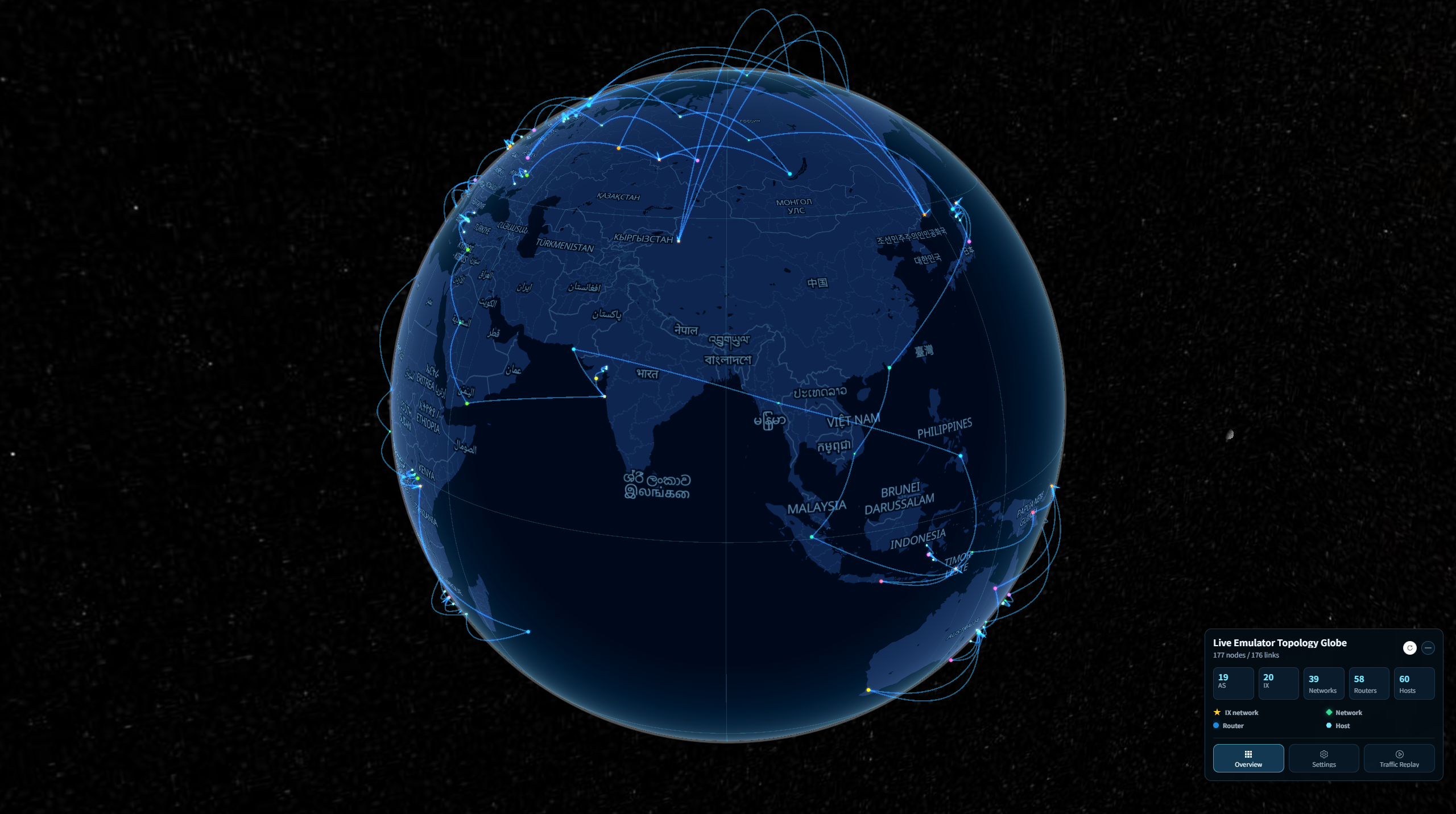
Read the map
The legend identifies IX networks, ordinary networks, routers, and hosts. Lines show topology connections; a line by itself is not evidence of current packet activity. Geographic placement comes from the experiment data and should not be interpreted as a measured physical location.
A node can be obscured by the globe or overlap a nearby node. Rotate the view or use search before assuming it is missing.
Refresh the experiment
Click the circular refresh button in the panel header after the experiment changes. The page reloads the running topology. If it remains empty, ask your administrator whether the experiment is ready and accessible.
Next steps
Use Overview filters to select an AS or IX, display settings to simplify the view, or traffic capture to observe packets.