
Node actions and terminals
Click a node in a live map to inspect its identity and available runtime controls. Verify the name, ASN, role, and IP addresses before making a change.
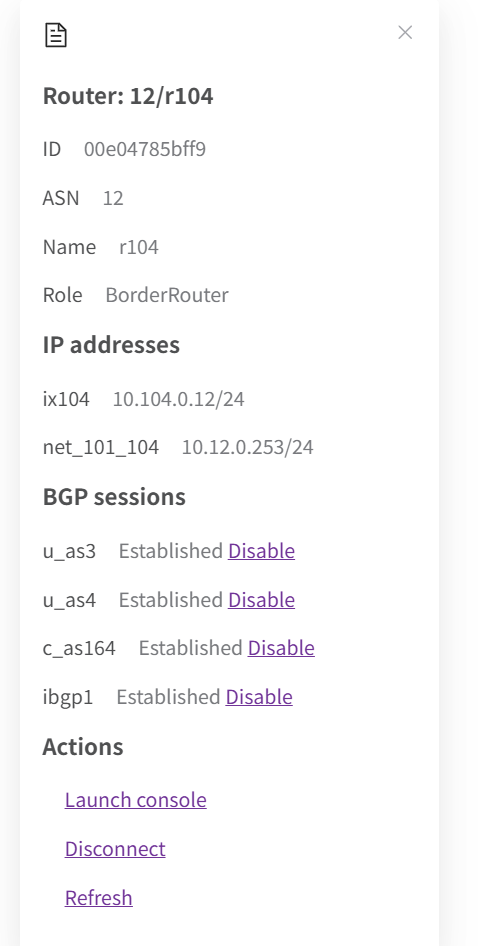
Open a terminal
- Open MAP and click the intended host or router.
- In Actions, select Launch console (called Start Console in some versions).
- Use the terminal for the lab commands required by your experiment.
- Close the terminal when finished.
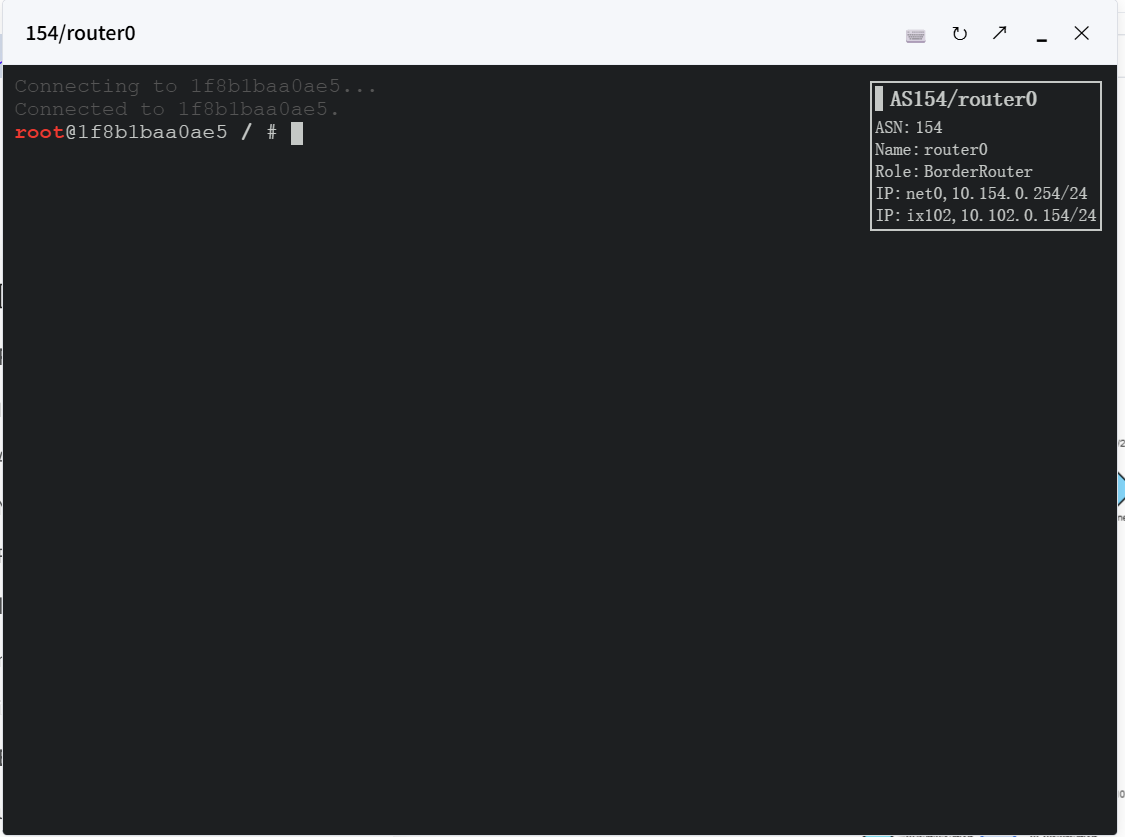
Console access may be disabled by the administrator. An uploaded node represents saved data and has no live terminal.
Change a network connection
Use Disconnect in the node’s Actions section to interrupt its network connection. Use Re-connect to restore it. Click Refresh in the details to update runtime information.
This changes the running experiment and can interrupt traffic. Hiding or collapsing a node is a display operation; disconnecting it changes connectivity.
Manage a BGP peer
- Select a router or route server with configured peers.
- Read the BGP sessions list and find the intended peer.
- Choose Disable or Enable for that peer.
- Refresh or reopen the details to check its reported state.
Changing a peer can change routing. Follow the experiment procedure and restore its intended state afterward. Hosts have no BGP peer controls, and a router may report no configured peers. If expected actions are missing, check that the node is live and ask your administrator about access.